School Preferences
School preferences is where you connect datashutl to your Veracross SIS and setup some general preferences for your school in the datashutl platform.
General
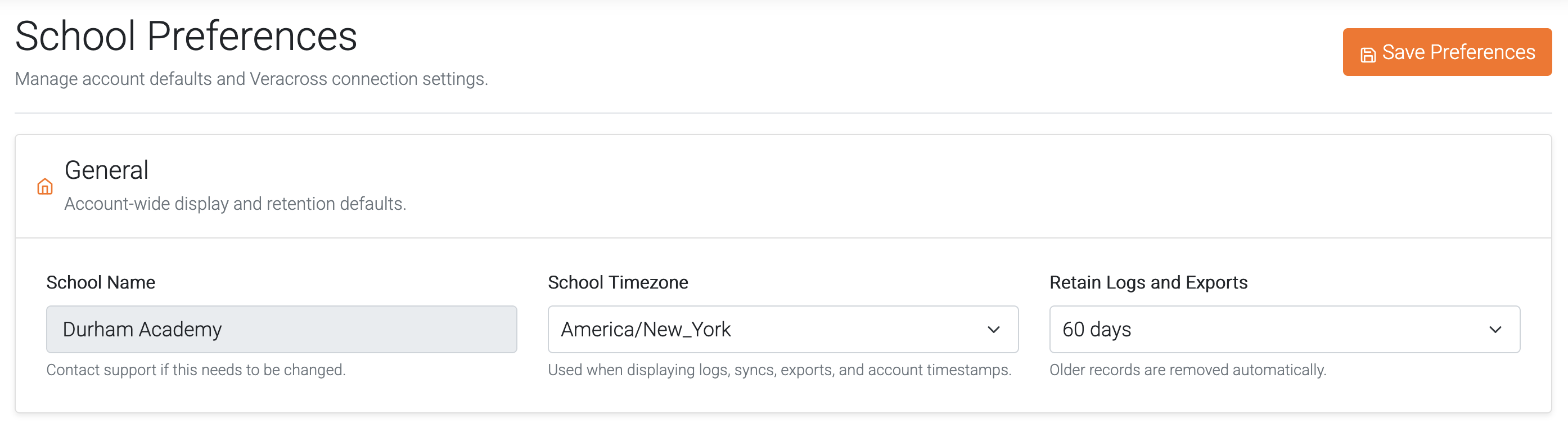
Set the timezone, and log retention for your school.
- Timezone: Your school's timezone
- Log Retention: How many days to retain logs. This includes all logs in datashutl (Audit logs, and shutl logs).
SIS Setup
Connect datashutl to your student information system (Veracross).
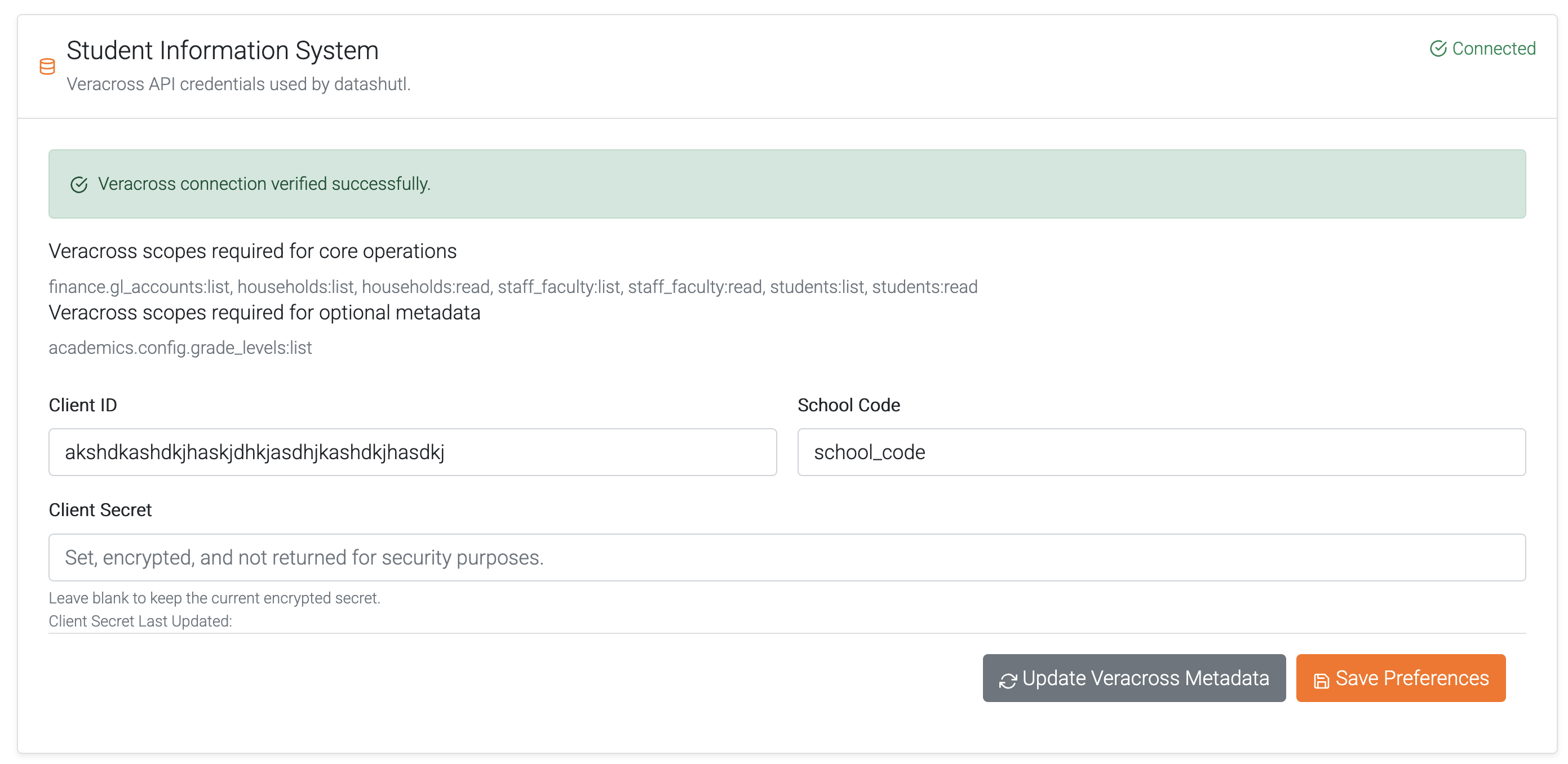
Some scopes are required for the operation of datashutl:
- [x] finance.gl_accounts:list
- [x] households:list
- [x] households:read
- [x] staff_faculty:list
- [x] staff_faculty:read
- [x] students:list
- [x] students:read
Some scopes are optional, enabling them gives datashutl a better user experience:
- [x] academics.config.grade_levels:list
- Used by Lightspeed shutls to show correct grade config for your school in syncs.
Create a new Internal OAuth Application in Veracross and assign the above scopes to your application.
Once saved in Veracross, you will be given a Client ID, and Client Secret.
Along with your school short code (shown in your VC URL), insert those values in the fields and click Save to connect datashutl.
Veracross Metadata
This is cached data in datashutl to feed forms and the end-user experience. Cached data is always configuration based data that tell datashutl how your school is setup in Veracross.
For example: academics.config.grade_levels:list is cached to determine how the grade levels are named in your school.
The cache is updated automatically but can be forced with the "Update Veracross Metadata" button.