Passwords
Expiration Period
Users will be prompted to change their password every 90 days.
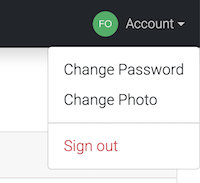
To change password before the 90 day expiration, use the "Change Password" link under your account.
After the 90 day period expires, you will need to use the Forgot Password link on the login.
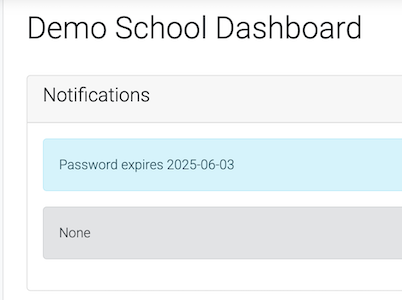
Users can check when their password will expire in the Notifications section.